
How to Apply for PM Surya Ghar in UP: DISCOM-Wise Step by Step
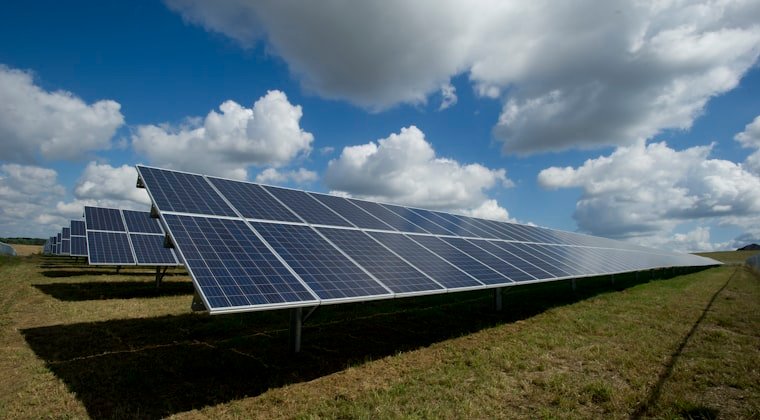
PM Surya Ghar Muft Bijli Yojana is the central government’s rooftop solar subsidy scheme. For UP homeowners, applying correctly means accessing up to Rs 78,000 from the central government and an additional Rs 30,000 from UP state, totalling Rs 1,08,000 in subsidy for a 3 kW system.
The application process runs entirely through pmsuryaghar.gov.in, but the way it works in practice varies by your DISCOM. Your DISCOM determines how long feasibility approval takes, which circle office you deal with, and how quickly the net meter gets installed. This guide gives you the exact steps for each UP DISCOM.
Before You Start: What You Need Ready
Gather these before opening the portal:
- Your electricity bill showing consumer number, DISCOM name, and registered address
- Aadhaar card (linked to mobile number for OTP)
- PAN card
- Bank account details: account number and IFSC code in the applicant’s name
- Property proof: sale deed, property tax receipt, or mutation document
Also determine: What system size do you want to install? Use this quick guide, divide your average monthly electricity units consumed by 120 to estimate the kW capacity you need. A household consuming 360 units per month needs approximately a 3 kW system.
Step 1: Registration on pmsuryaghar.gov.in
Visit pmsuryaghar.gov.in on a desktop browser (the portal works on mobile but is more stable on desktop).
Click “Apply for Rooftop Solar” or “Register.”
Enter your details:
- State: Uttar Pradesh
- Electricity Distribution Company: Select your DISCOM (LESA, KESCO, MVVNL, PVVNL, PuVVNL, or DVVNL)
- Consumer Account Number: Your electricity bill’s 10-12 digit consumer number
- Mobile Number: Must be the number registered with your electricity connection
- Email: For portal communications
You will receive an OTP on your registered mobile. Enter it to complete registration.
Step 2: Submit the Rooftop Solar Application
After registration, log in with your consumer number and mobile OTP.
Navigate to “Apply for Net Metering” or “New Application.”
Fill in:
- Desired solar system capacity (in kW)
- Bank account number and IFSC code (this account receives your subsidy)
- Bank name and branch details
Submit. Your application is now registered in the system and forwarded to your DISCOM for feasibility review.
Save your application reference number, you will need it to track status.
Step 3: DISCOM Feasibility Approval
Your DISCOM reviews whether the local transformer serving your connection can handle the additional solar export load. This is the step that varies most by DISCOM.
| DISCOM | Cities Served | Feasibility Approval Time |
|---|---|---|
| LESA | Lucknow city | 15-25 days |
| KESCO | Kanpur city | 20-35 days |
| PVVNL | Meerut, Ghaziabad, Saharanpur, Moradabad | 18-28 days |
| MVVNL | Bareilly, Sitapur, Lakhimpur | 25-40 days |
| PuVVNL | Varanasi, Gorakhpur, Prayagraj | 25-40 days |
| DVVNL | Agra, Aligarh, Jhansi, Mathura | 25-35 days |
You will receive an SMS and portal notification when feasibility is approved. If you have not received approval after the upper timeline limit, follow up through the portal grievance mechanism or contact UPNEDA’s helpline: 1800-1800-005.
Step 4: Select a UPNEDA-Registered Vendor
The portal shows you a list of empanelled vendors in your district. You can also search independently at upnedasolarrooftopportal.com.
Do not skip vendor verification even if a vendor you know recommends someone else. An unregistered vendor disqualifies you from both central and state subsidy.
When comparing vendors, get a written quote that includes:
- Panel brand, model, wattage, and efficiency
- Inverter brand, model, and warranty
- Mounting structure material and warranty
- DISCOM charges (metering, connection modification)
- Workmanship warranty duration
- AMC (Annual Maintenance Contract) terms and cost
Get at least 3 quotes. Price variation among registered vendors in most UP cities is Rs 10,000-30,000 for the same system size, worth getting multiple quotes to compare.
Step 5: Finalise Vendor and Sign Agreement
Once you select a vendor, sign the work agreement. A legitimate agreement includes:
- Itemised system specification
- Total cost with GST
- Payment schedule (do not pay 100% upfront)
- Installation timeline commitment
- Warranty terms for all components
- Responsibility for subsidy documentation
Typical payment structure: 30-40% on signing, 50-60% on installation, 10% on subsidy receipt.
Step 6: Installation
The vendor conducts a final site survey, procures equipment, and installs panels, inverter, mounting structure, wiring, and protection devices. Physical installation of a 3 kW system takes 2-3 working days.
After installation, request the vendor to walk you through: panel placement rationale, inverter display and monitoring app, DC isolator location, and AC protection switch location.
Step 7: Commissioning Report and Net Meter Application
Your vendor prepares the commissioning report documenting the installation. This report is uploaded to the PM Surya Ghar portal.
Your DISCOM then schedules a joint inspection, a DISCOM engineer visits to verify the installation meets technical and safety standards.
After approval, DISCOM arranges installation of the bi-directional (net) meter.
Step 8: Net Meter Installation by DISCOM
| DISCOM | Net Meter Installation (After Commissioning Report) |
|---|---|
| LESA | 7-15 days |
| KESCO | 10-20 days |
| PVVNL | 8-15 days |
| MVVNL | 15-25 days |
| PuVVNL | 10-20 days |
| DVVNL | 10-20 days |
If your DISCOM exceeds the expected timeline for net meter installation, you can file a grievance on the PM Surya Ghar portal. Undue delays in net meter installation are a common complaint, persistence through the portal grievance mechanism typically accelerates resolution.
Step 9: Subsidy Disbursement
After net meter installation is confirmed in the portal:
- Central subsidy (Rs 78,000 for 3 kW): disbursed from MNRE within 30 days
- UP state subsidy (Rs 30,000): disbursed from UPNEDA within 30-45 days
Both credited directly to your registered bank account. You will receive SMS notifications from the respective disbursing agencies.
Common Application Errors to Avoid
| Wrong consumer number | The consumer number on your electricity bill must match exactly what you enter. Even one digit difference means your application cannot match your DISCOM account. |
| Wrong DISCOM selection | If you select LESA but your bill shows KESCO (or vice versa), your application fails at the routing stage. Match your DISCOM to exactly what appears on your bill. |
| Incomplete bank details | A missing or wrong IFSC code causes subsidy disbursement failure. Triple-check bank account number and IFSC before submitting. |
| Applying for too large a system | Your DISCOM may reject feasibility for a system that is disproportionately large relative to your sanctioned load. For most residential consumers, a system up to your sanctioned load (in kW) is acceptable. If your electricity connection is a 5 kW sanctioned load, applying for a 10 kW system will likely face pushback. |
Tracking Your Application Status
Check status at pmsuryaghar.gov.in using your consumer number and registered mobile. The portal shows:
- Application submitted
- Feasibility approved / under review
- Vendor selected
- Installation completed
- Net meter applied
- Subsidy disbursed
If any stage shows delayed status, use the portal’s grievance section or call UPNEDA helpline at 1800-1800-005 (toll-free).